- Install GVC client \\FPL-SSP-01\SW_Mast\!SonicWALL\184-005968-00_Rev_A_GVCSetup64.exe
- Make a User account on the SonicWALL (We aren’t doing AD integration)
- Logon to https://10.20.20.254:444
- Username = admin / password = same as AD for now
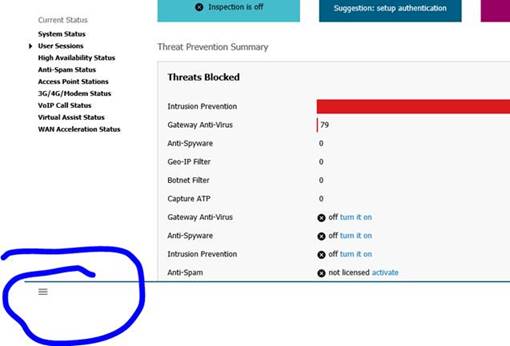
- Click this button bottom left
- Under ‘Users > Local Users and Groups’
- Local Users > Add
- Please keep username to initialsurname and password can be whatever they’ll never type it in
- On VPN tab – Add ‘Data Subnets’
- Ok back through
- Run GVC client which will run the wizard but this will not connect internally!
- IP (SCW: 51.219.108.114, BR: 5.2.119.243, Hull: 213.249.236.46)
- Pre-Shared Key (SCW: 5A496B54594C2049, Hull: D140AD831D78C5D5)
- Username/Password as before
- Edit the connection and tick save username/password
- Properties>Peers>Add, then add the 51.219.55.44
Was this article helpful?
That’s Great!
Thank you for your feedback
Sorry! We couldn't be helpful
Thank you for your feedback
Feedback sent
We appreciate your effort and will try to fix the article